 ASTERION
Start here: You need a Fedora KDE desktop and a copy of the Asterion application from a verified source. Follow Linux installation first.
No onboarding wizard or AI setup is required to run Asterion.
No onboarding wizard or AI setup is required to run Asterion.
Make one small plan
- Open Asterion. In Command Centre, select Edit beside the mission. Enter “Complete a learning project” and choose Update Mission.
- Open Goals. Enter “Complete a learning project”, choose Learning and 1 Month, then select Create Mission.
- Open Quests. Enter “Build a small prototype”, select Learning and Skilled (+50 XP), then choose Create Quest.
- Open Habits. Enter “Read for 20 minutes”, select Learning and choose Track Habit. After reading, select Check-in Today (+30 XP).
- Return to your quest after doing the work and choose Claim Quest. Open Journal, choose New Entry, write a short reflection and select Save Sanctuary Entry.
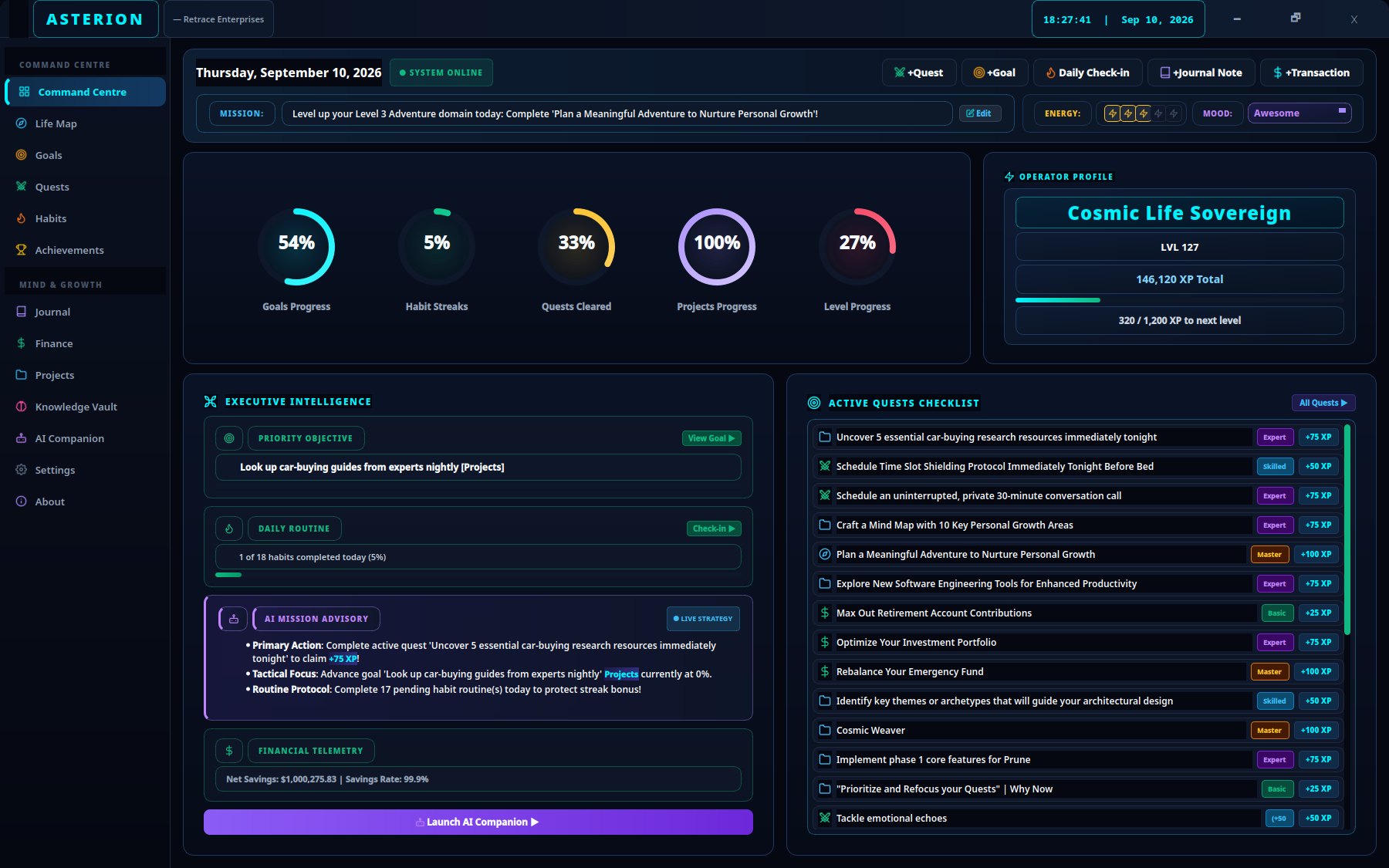
1Edit sets the daily mission.2The sidebar opens Goals, Quests and Habits.
You are ready to return tomorrow
Your mission, quest and habit are stored locally. A completed check-in appears in habit history. Your journal holds a reminder of what to do next.
Recovery tip: If a new quest seems to disappear, open Quests → All Quests. Completed quests appear under Cleared Quests. A daily mission is separate from the Goals list.
Next: make a daily planning routine or break work into smaller steps.