 ASTERION
What you will set up
A local Ollama server, the default llama3.2:3b model and a test request from Asterion. Start with Asterion installed and a terminal. Model downloads require internet access; inference can run offline after the server and model are installed.
1. Install Ollama
Use the official Linux instructions. The installer configures system files and may request administrator access. Download and review the script before executing it:
curl -fsSL https://ollama.com/install.sh -o /tmp/ollama-install.sh
less /tmp/ollama-install.sh
Press q to leave the viewer. When you are ready to install:
sh /tmp/ollama-install.sh
ollama --version
Success: The CLI prints a version. A version alone does not confirm the server is running.
2. Run one server
For an installation with a system service:
sudo systemctl start ollama
systemctl status ollama --no-pager
Success: Status says active (running). For a manual installation without a service, run ollama serve in a terminal and leave it open instead. These are alternatives: do not start a second server on the same port.
3. Download and test the model
ollama pull llama3.2:3b
ollama list
ollama run llama3.2:3b
Success: The model appears in the list and the last command opens an interactive prompt. Ask “Suggest one small step for a learning project.” Wait for a response. Enter /bye to leave the session. See the model page and CLI reference.
4. Check the local endpoint
curl --fail http://localhost:11434/api/tagsSuccess: The JSON response includes llama3.2:3b in the model list. Keep Ollama on localhost; there is no need to expose port 11434 to the internet.
5. Select the model in Asterion
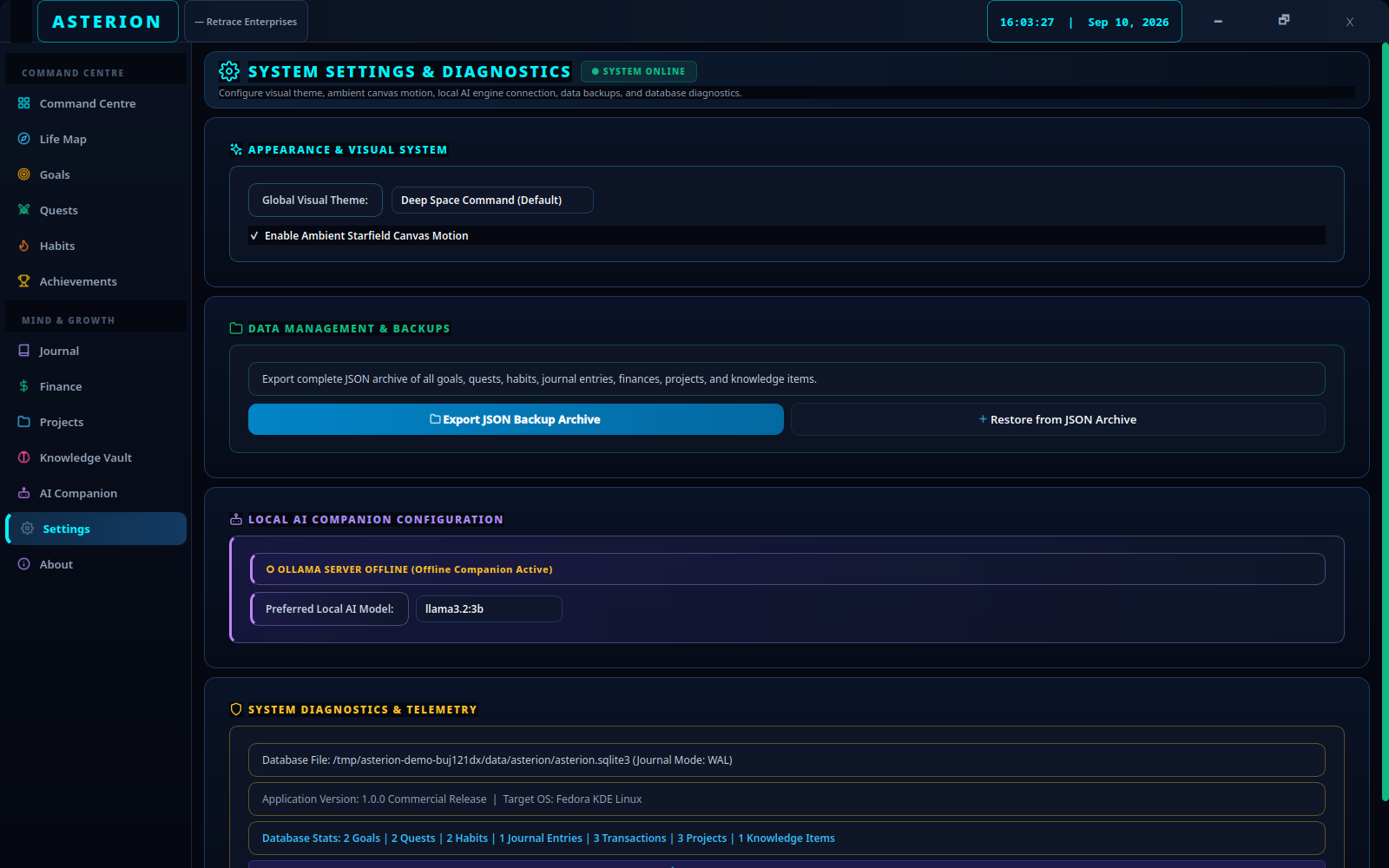
- Open Settings and scroll to Preferred Local AI Model:. Select llama3.2:3b.
- Open AI Companion and choose Check Engine. A connection indicator means the server answered, not that generation or your selected model has been verified.
- Enter “Help me break down my learning project into manageable steps.” Select Send to AI Coach.
- Read the response before using any action. If the response offers a quest or subtask action, inspect the proposed title and tasks in its dialog before saving. You can also simply keep the response as advice.
Connected model in action

Know which model is used
The current selector contains llama3.2:3b, qwen2.5-coder:7b, deepseek-coder:6.7b, llama3.1:8b and mistral:7b. Download a model with ollama pull before selecting it. Main AI Companion chat passes your selection to the engine. Some title, quest and other helper calls omit the model argument and use the engine default, llama3.2:3b.
What a rule-based response looks like

When Ollama is not running or unreachable, Asterion automatically falls back to rule-based Companion Mode, providing rule-based recommendations without an LLM. Compare the connected model response above with this rule-based fallback.
Your question includes personal context
Asterion generates through http://localhost:11434/api/generate. The request can include active goals, quests, habits, projects, finance summaries, recent journal excerpts, knowledge notes, your mission, mood, energy and achievement/progress information. It includes more than your typed question. Read the data scope before using sensitive records.
Troubleshoot by symptom
| Symptom | Check | Remedy |
|---|---|---|
| Connection refused / Offline | Check service status, then /api/tags. | Start the installed service or the manual server. Use one server on localhost. |
| Model not found | Compare ollama list with the Settings selection. | Pull the exact model tag, then retry. |
| Service fails | Read journalctl -e -u ollama. | Follow the error and the official Linux guide; check permissions and the installed executable. |
| Address already in use | Check whether the Ollama service is already running. | Use the existing server. Close your duplicate manual server; do not start another. |
| Slow first response | Test the same model directly with ollama run. | Allow initial model loading. Close memory-heavy programs and review Ollama hardware guidance. |
| Out of memory | Check server logs and system memory pressure. | Free memory or choose an installed model your hardware can run. Download size is not runtime RAM/VRAM usage. |
| Generation timeout | The app uses a 120-second generation timeout. | Try a shorter request, test directly in the CLI and check model loading or server errors. |
| GPU acceleration unavailable | Separate model/connection checks from GPU setup. | Follow official hardware and driver guidance for your device; do not change networking to fix a GPU issue. |
Official Ollama hardware guidance describes supported acceleration. Requirements depend on the model and execution settings; this guide does not assume a fixed memory minimum.